Digital Photo + Photo Code
Most Popular
£4.99
- HD digital file (JPEG/PNG)
- UK photo code for online applications
- Instant download
- Acceptance guarantee coverage
This phone-first guide helps users capture a usable UK passport photo source image with clean framing, stable lighting, and fewer retakes.
To take a passport photo on your phone, use even light, a plain background, a straight-on pose and enough space around the head. The phone photo still needs checking before final output.
Built for mobile users who want a practical capture checklist before they upload and pay.
Related guidance: take a passport photo at home · take a passport photo with iPhone · free UK passport photo checker · passport photo upload checklist
Most Popular
Complete package with print-ready files
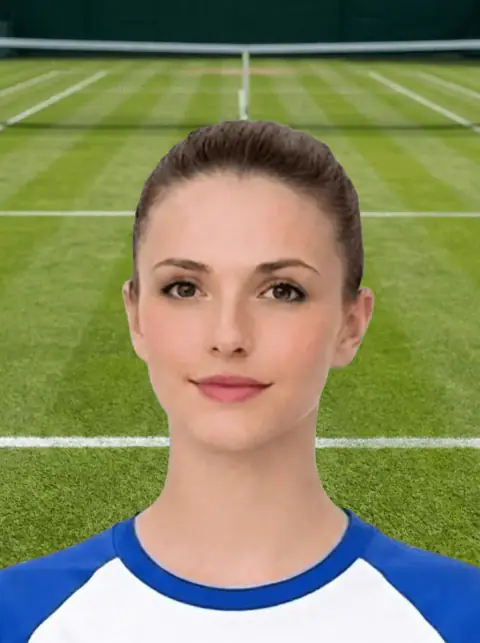
Use this short list to decide whether the current photo is worth continuing with.
Follow this sequence to keep the workflow clear and reduce avoidable mistakes.
Stand near a bright window or use even indoor light without strong side shadow.
Keep the phone level with the face instead of shooting from above or below.
Step back enough to include hair, chin, shoulders, and crop room.
Turn off portrait filters, beauty mode, and heavy processing if possible.
These are the errors most likely to waste time or trigger a preventable rejection.
Most failures come from room setup, not phone hardware.
A quick full-size review prevents avoidable rework later.
Phone-photo users often have the source image ready, so the page should move them into the right next step.
This concise decision framework supports ranking and conversion better than generic phone tips.
Phone-photo terms should lead users toward a better capture, then the checker.
This avoids overpromising and improves trust.
Phone-photo searches can bring qualified users if the page helps them decide whether the source image is good enough before upload.
Phone-photo pages should rank by solving the capture problem before users enter the paid flow.
This gives device-specific value beyond generic passport photo rules.
Route the user into checker and output decisions.
The aim is not a studio portrait. The aim is a clear, plain, front-facing source image with enough room for a compliant crop.
A weak phone source image is the main reason users become disappointed with the final prepared output.
Most phone-photo problems are created before upload, so the best fix is often a simple retake rather than heavier editing.
Choose the next page based on what you need to do with the image.
A good how-to page should stop users from uploading weak images.
These are the issues users search for after a phone photo fails.
Phone-photo pages should route users towards the next commercial step without pretending every source image will pass.
Phone capture pages should help users create a stronger source photo before entering the checker.
This helps prevent weak-source uploads and improves conversion quality.
This decision block turns the long-tail query into a clearer action without creating a dead-end page.
Phone-photo searches can produce impressions without clicks when the page does not answer the exact capture setup question quickly.
A good phone source photo still needs a pre-upload quality check.
Yes. Use a plain background, even light, level framing, and review the photo at full size before upload.
Relying on the small preview screen and missing blur or shadow that appears clearly at full size.
No. Keep spare room around the head so final passport framing can be applied cleanly.
It can be, if it is sharp, unfiltered, evenly lit and has enough room around the head for final crop.
A selfie often causes distortion or tight crop. A photo taken by another person from slightly farther away is usually safer.
Yes, if the photo is sharp, evenly lit, and includes the full head and shoulders.
A rear-camera photo taken by someone else is usually safer than a close selfie.
Use the original high-quality photo, not a screenshot or a compressed copy from a messaging app.
Avoid portrait mode if it blurs hair or shoulders. A normal sharp photo is usually safer.
Check it before paying, then choose digital, code, or print output based on the application route.
The camera is often too close, which cuts off hair or leaves too little room for a balanced passport crop.
Yes. The site is designed around preview-first preparation, so users can check the route before checkout.
The source photo still needs to be prepared and checked. Use the photo code route only if your application asks for a code.
Yes, if the image is sharp, well lit, straight-on and has enough space around the head and shoulders.
Avoid portrait mode or heavy blur effects because they can create unnatural edges around the face and hair.
Using a compressed screenshot or filtered image is a common mistake. Keep the original full-resolution photo and check it before paying.
Avoid portrait-mode background blur. A normal sharp photo with even lighting is usually safer for document-photo preparation.
Use the upload flow when you already have a source image, or keep exploring the guides if you still need to fix the setup first.