Quality process

Passport Photo Quality Review Process

A reliable passport photo service should explain how photo quality is screened before checkout and what support can review after delivery. This page explains the preview, common checks, support evidence, and where the service boundary sits.

Direct answer

Passport-Photo.co.uk uses a preview-first workflow to screen practical image issues such as crop, background, lighting, blur, and eye visibility. If a delivered file is rejected for a technical image-compliance reason, support can review evidence under the published refund and remake policy.

Quality trust improves when users understand what the preview can check, what support can review, and what still depends on the source photo or official application route.

Updated 9 May 2026Reviewed by Passport-Photo.co.uk editorial teamContent review
  • Explains the preview-first quality workflow
  • Separates fixable crop/background issues from retake cases
  • Clarifies support evidence for rejection review
  • Links checker, rejection, refund, and contact pages
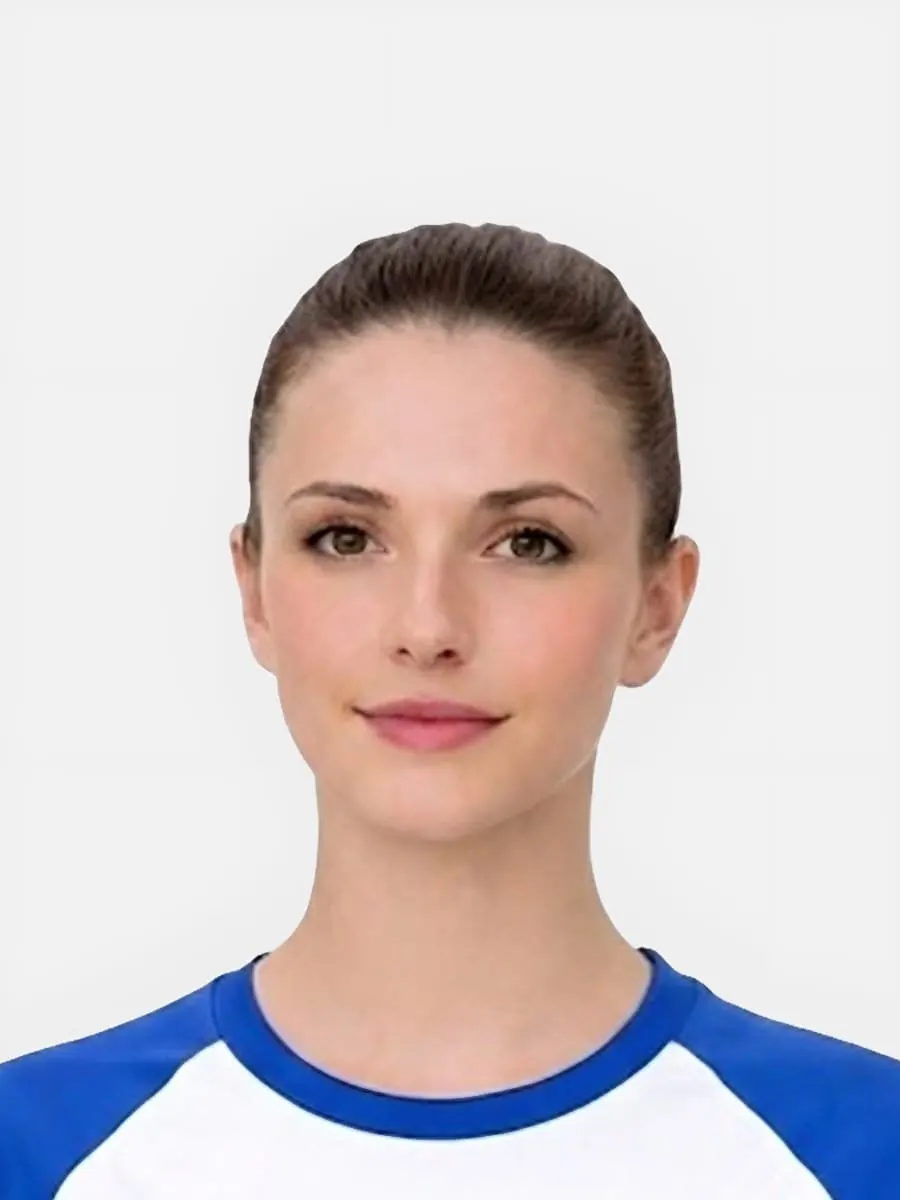
Prepared UK passport photo with cleaner crop and background
Prepared results should still look natural and easy to verify against the rules.

Quick checklist

Use this short list to decide whether the current photo is worth continuing with.

  • Check the preview before buying a final output.
  • Retake the source image if it is blurred, dark, blocked, or cropped too tightly.
  • Keep rejection evidence if you need support to review a delivered file.
  • Use the published refund policy for technical compliance claims.

Step by step

Follow this sequence to keep the workflow clear and reduce avoidable mistakes.

  1. 1

    Start with the source photo

    A sharp, evenly lit source image with enough room around the head is more reliable than a weak image that needs heavy rescue.

  2. 2

    Review the preview

    Use the preview to assess background, crop, lighting, face visibility, and whether the result looks worth continuing with.

  3. 3

    Choose the correct output

    Select digital, code, or print-ready output based on the application route rather than assuming every route needs the same file.

  4. 4

    Use support if a delivered file has a technical issue

    Send order details and rejection evidence so support can review whether the published remake or refund route applies.

Common mistakes

These are the errors most likely to waste time or trigger a preventable rejection.

  • Treating a weak source image as if checkout will automatically make it reliable.
  • Ignoring visible blur because the background looks improved.
  • Choosing the wrong output route and then treating it as a photo-quality issue.
  • Contacting support without order details or rejection evidence.

What the preview can help screen

The preview is a practical quality filter before checkout.

  • It can help reveal crop, background, lighting, sharpness, and face-visibility concerns.
  • It can show whether the source image is strong enough to continue or should be retaken.
  • It can help the user choose digital, code, or print-ready output with less confusion.
  • It should not be treated as a promise that every official application outcome is controlled by the site.

What support can review

Support needs evidence to review a technical issue properly.

  • Support can review delivery, download, output, and technical image-preparation concerns.
  • For rejection issues, include the delivered file context and rejection evidence.
  • Support can compare the issue against the published refund and remake policy.
  • Support cannot override official application decisions or fix unrelated application problems.

When a retake is more reliable

A trustworthy service should tell users when not to force a weak source image through checkout.

  • Retake if the face is blurred, blocked, heavily shadowed, or too close to the image edge.
  • Retake if glasses glare hides the eyes or if the photo is clearly angled.
  • Retake if a baby or child photo does not show the face clearly enough.
  • Use the fix-or-retake page before paying when the source image already looks doubtful.

How the review process supports trust

Users should understand the evidence trail before they need it.

  • The preview gives the first practical signal about crop, background, lighting, and face visibility.
  • The delivered file and order details help support understand what was supplied if a technical issue appears later.
  • Rejection evidence helps separate image-compliance issues from unrelated application or route issues.
  • The refund policy and refund review page explain where a remake or refund may be considered.

Related pages

FAQ

Does the preview guarantee official acceptance?

No. The preview helps screen practical image issues before checkout, but official application decisions remain outside the service scope.

What evidence should I send after a technical rejection?

Send the order email or reference, the delivered file context, and a screenshot or message showing the rejection reason.

When should I retake instead of buying?

Retake when the source image is blurred, dark, blocked, over-cropped, or otherwise too weak to support a reliable final output.

What policy covers remake or refund review?

The refund policy explains when a technical image-compliance issue may qualify for a remake or refund review.

Ready to start

Prepare your photo before you submit it

Use the upload flow when you already have a source image, or keep exploring the guides if you still need to fix the setup first.