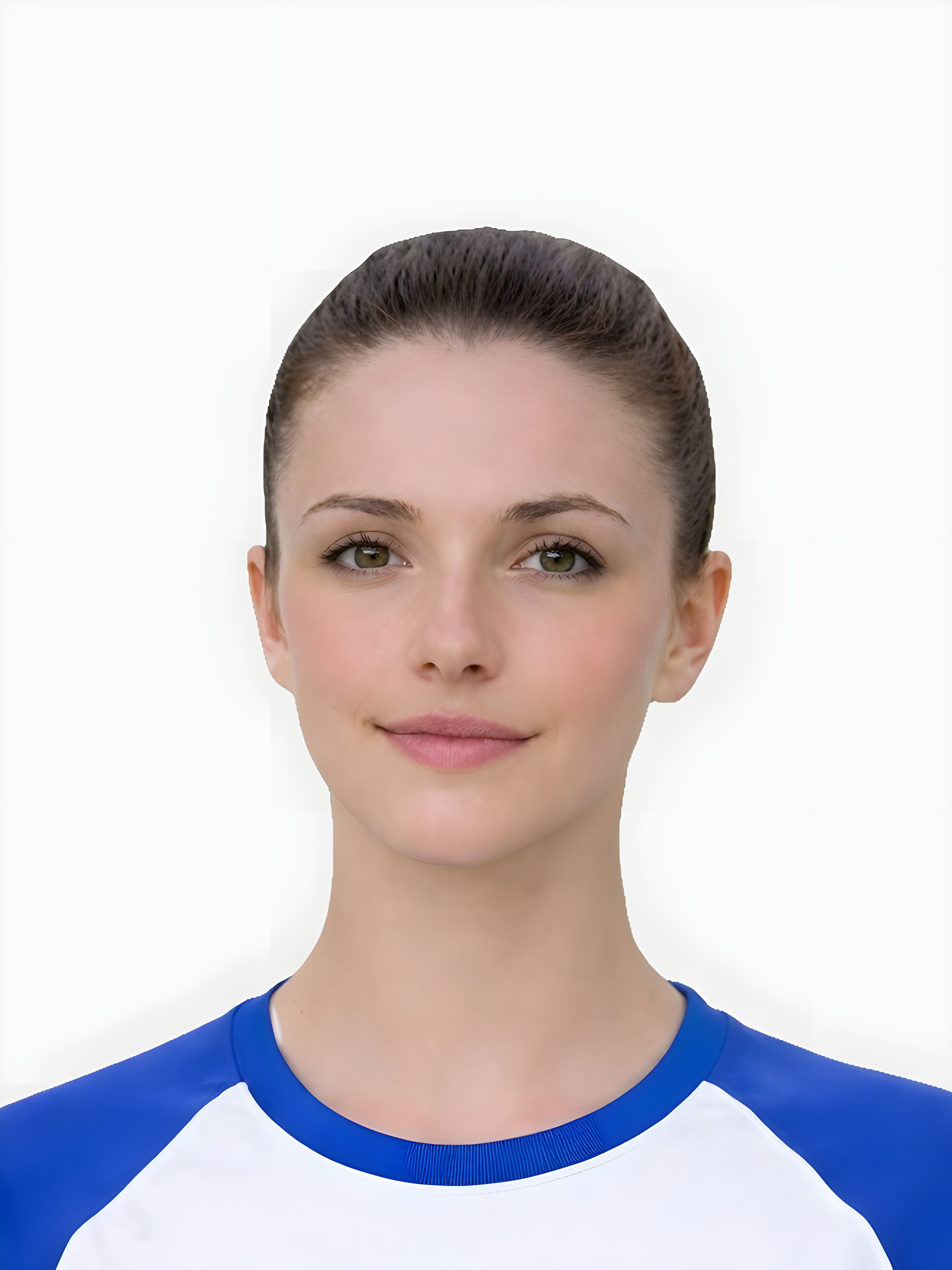
Quick checklist
Use this short list to decide whether the current photo is worth continuing with.
- Start with a recent, clear photo against a simple background.
- Check face visibility, lighting, background, and crop before checkout.
- For provisional licence photos, make sure the file still looks like a formal ID photo rather than a casual selfie.
- Download the digital file only when the preview looks ready.
- Use the official DVLA application route for the final submission step.
Step by step
Follow this sequence to keep the workflow clear and reduce avoidable mistakes.
- 1
Take a photo
Stand 1.5m away from the camera, look straight ahead with a neutral expression.
- 2
Upload and Preview
Preview the crop and background cleanup before you decide whether the source image is strong enough to keep.
- 3
Download the digital photo
Download the digital file when the prepared image looks suitable for your online application route.
Common mistakes
These are the errors most likely to waste time or trigger a preventable rejection.
- Smiling or showing teeth (keep a neutral expression).
- Hair covering the eyes or eyebrows.
- Glare on glasses (best to remove them).
- Assuming every booth or shop photo is automatically suitable without checking the digital upload route.
DVLA photo requirements
Most driving licence photo questions come down to the same visible checks:
- Be clear, sharp and in focus
- Have a plain light-coloured background
- Contain no other objects or people
- Be taken in the last month
- Keep the head and shoulders balanced so the final crop does not look like a casual social profile image
Dimensions, crop and provisional licence photos
Searchers often ask about dimensions when the real risk is a weak crop or informal source image.
- Leave enough space around the head and shoulders so the final ID-style crop can be centred.
- Avoid close selfies, angled phone shots, and photos cropped from group pictures.
- For a provisional licence, use the same careful setup you would use for a passport-style ID photo.
- If the online route asks for a digital upload, prioritise a clean digital file over a printed sheet.
When to use passport-photo style guidance
The site should connect driving-licence traffic into the broader passport-style ID photo entity.
- Use the main requirements page when the question is about background, expression, or face visibility.
- Use the at-home guide when you have not taken the source photo yet.
- Use the checker when the source image looks close but needs a quick screening step before payment.
- Use renewal and where-to-take pages when the query is about the application route rather than the photo rules.
Driving licence photo vs passport photo
Driving licence searches overlap with passport-style ID photo searches, but the document route still matters.
- Use this page when the document is a UK driving licence or provisional licence.
- Use the UK passport page when the document is a passport application.
- Use the broader ID photo page when the user has not confirmed the document yet.
- Use official DVLA instructions for final submission details outside the photo-preparation step.
Driving licence photo guidelines before upload
Keyword-gap data shows driving licence guideline queries where competitors rank ahead. This page should answer the practical photo checks without pretending to replace DVLA instructions.
- Use a formal ID-style source photo rather than a casual cropped selfie.
- Check the same visible quality risks: background, lighting, face visibility, expression, crop, and sharpness.
- Keep the official DVLA route separate from the photo-preparation step, especially for identity and application questions.
- Use the checker first if the image looks close but you want to screen obvious quality problems before paying.
Driving licence photo guidelines from Keyword Gap
Keyword Gap and Organic Positions show driving licence photo rules, guidelines, dimensions, and provisional licence photo terms as recurring opportunities. Keep this page focused on photo preparation, not DVLA eligibility.
- Use this page for DVLA-style photo checks: face visibility, lighting, background, crop, and digital file quality.
- Use official DVLA guidance for application, identity, and eligibility questions.
- Use provisional licence guidance when the user is asking about applying without a passport.
- Use the passport photo pages only when the same user also needs a UK passport photo.
Provisional licence photo requirements: practical source-image checks
The same source-photo quality issues can affect passport and driving licence routes.
- Keep the face front-facing with a neutral expression and visible eyes.
- Avoid busy backgrounds, heavy shadows, hair covering the face, and glasses glare.
- Leave enough room around the head and shoulders for a balanced crop.
- Retake before upload if the image looks casual, filtered, compressed, or tightly cropped.
Impression-led DVLA and provisional licence queries
Semrush shows several driving licence photo terms with rankings in the 40-70 range. This page should answer DVLA-style photo intent without confusing it with a UK passport application.
- Use this page for driving licence photo rules, provisional licence photo requirements, driving licence picture rules, and driving licence photo dimensions.
- Keep DVLA route wording separate from passport photo code and passport application wording.
- Use passport-style requirements as photo-quality guidance, but direct users back to official DVLA instructions for application submission.
- Use the checker when the user already has a driving-licence-style source photo and wants to screen visible issues before paying.
Driving licence photo decision path
Low-ranking licence queries can become useful traffic only if the page gives a clear next step.
- If the issue is rules or dimensions, read this page and the broader UK photo requirements guide.
- If the issue is source-image quality, use the at-home guide or free checker before checkout.
- If the issue is where to get the photo, compare online, booth, and shop routes.
- If the issue is renewal or provisional licence wording, use the more specific supporting page.
Useful next routes
Passport photo searches often mix requirements, checker, digital upload, code, and privacy questions. These related routes help you choose the right next step without relying on a government affiliation claim.
FAQ
Is a driving licence photo the same as a passport photo?
Yes, the DVLA uses the same photo standards as standard UK passport applications.
What driving licence photo guidelines should I check first?
Start with the same practical checks used for UK passport-style photos: plain background, even lighting, clear face visibility, balanced framing, and a sharp image that still looks trustworthy before upload.
Are driving license photo guidelines and driving licence photo guidelines the same?
Yes. Users search with both spellings, but they point to the same DVLA photo rules and the same practical checks before you upload the digital file.
Do I need a photo code for my driving licence?
No, the DVLA does not currently use the photo code system. You will need to upload the digital JPEG file directly, which our service provides.
What are the main provisional driving licence photo requirements?
Use a recent, clear, passport-style image with a plain background, neutral expression, visible face, balanced crop, and enough sharpness for identity checks.
Do driving licence photo dimensions matter if I upload online?
Yes, but users usually struggle more with framing than the number itself. Start with a source image that leaves enough room around the head and shoulders for a clean ID-style crop.
Can I use a passport-style photo for a driving licence?
Often yes if it matches the DVLA route, but check the driving licence application instructions first and keep the photo clearly digital, recent, sharp, and properly framed.
What driving licence photo guidelines matter most before upload?
Use a recent, sharp, formal ID-style image with a plain background, even lighting, clear face visibility, and enough room for a balanced crop. Use DVLA instructions for the final application step.
Prepare your photo before you submit it
Use the upload flow when you already have a source image, or keep exploring the guides if you still need to fix the setup first.