Digital Photo + Photo Code
Most Popular
£4.99
- HD digital file (JPEG/PNG)
- UK photo code for online applications
- Instant download
- Acceptance guarantee coverage
This page is for users who do not want another broad rules article. They want to know quickly whether the face sits too high, too low, too tight, or too loose inside the frame and whether the image can still be saved with a better crop.
A passport photo crop checker should help you see whether the face and head are centred with enough space around the head and shoulders. A source photo that is already cut off usually needs retaking.
Crop screenshots are easy for users to compare and share, but the right answer still depends on source quality and how much spare room the original frame leaves.
Related guidance: free passport photo checker · resize passport photo guide · face position rejection guide · UK passport photo online · digital passport photo UK
Most Popular
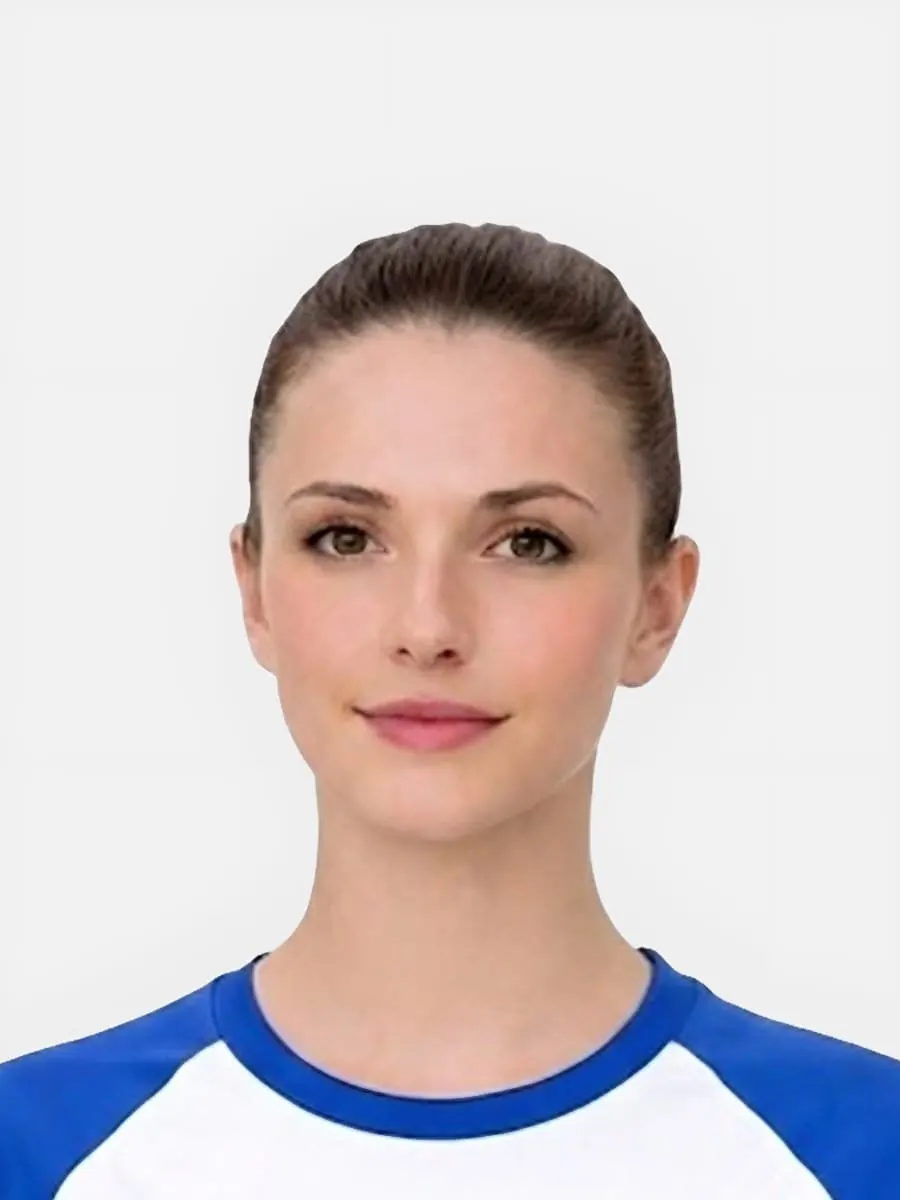
Use this short list to decide whether the current photo is worth continuing with.
Follow this sequence to keep the workflow clear and reduce avoidable mistakes.
Check how much spare room still exists before assuming a better crop can solve the problem.
A face can look wrongly cropped because it is off-centre, too high, too low, or slightly tilted.
Recrop when the source is strong; retake when the original frame is already too tight, skewed, or weak overall.
Use the resize guide, head-size checker, face-position guide, or general checker depending on what still looks unresolved.
These are the errors most likely to waste time or trigger a preventable rejection.
Crop-related searches often sit near purchase. The page should explain what the checker can and cannot help with.
Crop-checker pages should help users decide whether the source photo can be framed safely before paying for output.
Related checks help users identify the specific issue and choose the most relevant guidance.
This helps users avoid trying to rescue impossible source images.
This helps users decide whether to retake before paying.
Crop checks should begin with whether the source photo contains enough image data.
Give users a clearer reason to continue to preview/checker.
Crop-checker queries often come from photos that may be too tight to fix.
Give users a realistic path to continue.
This reduces poor uploads and support issues.
Crop checker users need to know whether the issue can be reframed or needs a new photo.
Crop checker content should explain why source image space matters before final output.
Some crop problems cannot be fixed from the existing image.
This section turns checker failure into a clear action.
A usable crop still needs the right output format.
Crop queries sit close to purchase and need a clear source-photo decision.
Long-tail impression pages should earn trust by helping users choose the right next step, not by forcing every query into the same sales message.
This decision block helps users avoid paying again for a source photo that is unlikely to work.
Crop queries are conversion-adjacent because users often have a photo and want to know if it can be rescued.
This makes the page trustworthy by explaining limits before checkout.
A crop checker is useful when the photo is sharp and well lit but the framing may be too high, too low or too close.
The crop checker diagnoses composition. The size guide explains final output dimensions.
Passport-Photo.co.uk is an independent service. Use these primary sources to verify the relevant passport-photo rules or information rights. Linking to them does not imply government endorsement.
No. If the original photo cuts off the head, chin or key shoulder area, retaking the photo is safer.
A correct-size output can still look unbalanced if the head is too high, too low, off-centre or too tightly framed.
Missing hair, chin, or shoulders cannot be reliably restored if they are not present in the source photo.
Sometimes, if the original photo includes the full head and shoulders with enough space around them.
Retake when the hair, chin, or shoulders are cut off, or when the camera was too close.
Yes. Output format does not fix a crop problem in the source image.
No. If the original image cuts off the head, hair, chin or shoulders, there may not be enough room to correct it.
A sharp, straight-on image with space around the head and shoulders is much easier to prepare.
No. A crop checker can help with framing, but it cannot recover missing head, hair, shoulder or background space from a tightly cropped source photo.
Crop can help when the source photo has enough room around the head and shoulders. It cannot restore parts that are already cut off.
A good source photo has the full head and shoulders visible, with plain background around the person and no strong tilt.
You can crop a photo if the source image has enough space around the head and shoulders, but avoid stretching or over-cropping the image.
The source image may have been taken too close, or the crop may have reduced the space above the head and below the chin too much.
Use the upload flow when you already have a source image, or keep exploring the guides if you still need to fix the setup first.